Sending & Receiving
Transfer THRU tokens between wallets on the Thru blockchain.
Receiving THRU
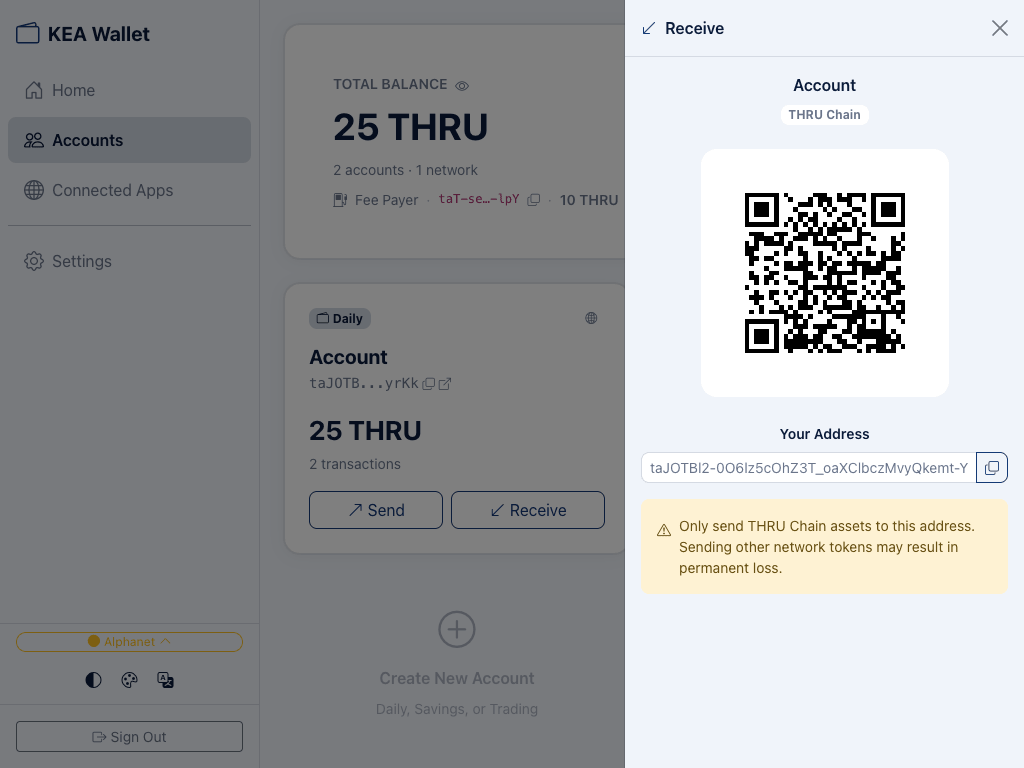
- Go to Accounts and click Receive on the account you want to fund.
- A panel opens showing your QR code and full wallet address.
- Share the QR code or copy the address — the sender uses this to send THRU to you.
warning
Only send THRU Chain assets to this address. Sending other network tokens may result in permanent loss.
Sending THRU
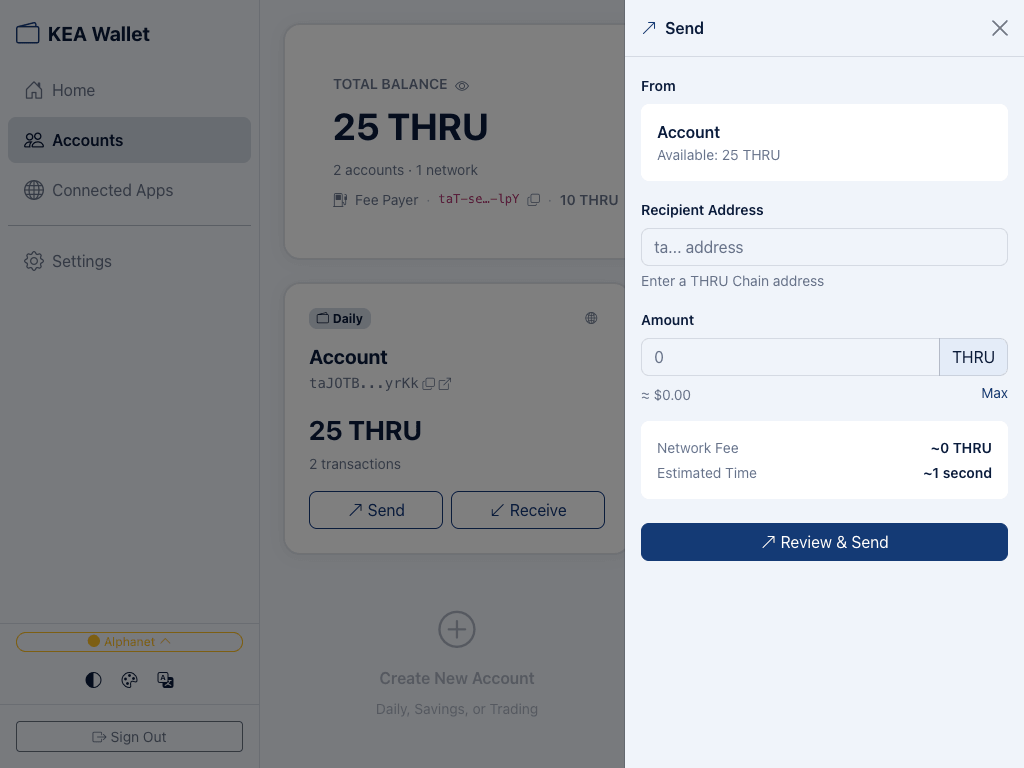
- Go to Accounts and click Send on the account you want to send from.
- The Send panel shows your From account and available balance.
- Enter the Recipient Address — a THRU Chain address starting with
ta.... - Enter the Amount in THRU. A USD estimate is shown below the field. Click Max to send your entire available balance.
- Review the Network Fee and Estimated Time shown at the bottom.
- Click Review & Send to confirm the transaction.
Transaction Details
- Fees — network fees on Thru are near zero (~0 THRU). Fees are paid from your Fee Payer account, not from the sending account.
- Speed — transactions confirm in approximately 1 second.
- History — each account card shows a transaction count. Click the external link icon to view full transaction details on ThruScan, the Thru blockchain explorer.
Common Mistakes
- Wrong address format — THRU Chain addresses start with
ta.... Double-check before sending. - Sending non-THRU tokens — this address only accepts THRU Chain assets. Sending tokens from other blockchains results in permanent loss.
- Insufficient balance — make sure you have enough THRU to cover both the amount and the network fee.
- Empty Fee Payer — if your Fee Payer account has no THRU, transactions won't go through. See Managing Accounts for details.
What's Next
- Managing Accounts — Organize funds across multiple accounts
- Security — How transactions are authorized and protected