Getting Started
Create your KEA Wallet account in under a minute — all you need is a browser and a device with passkey support.
Create Your Account
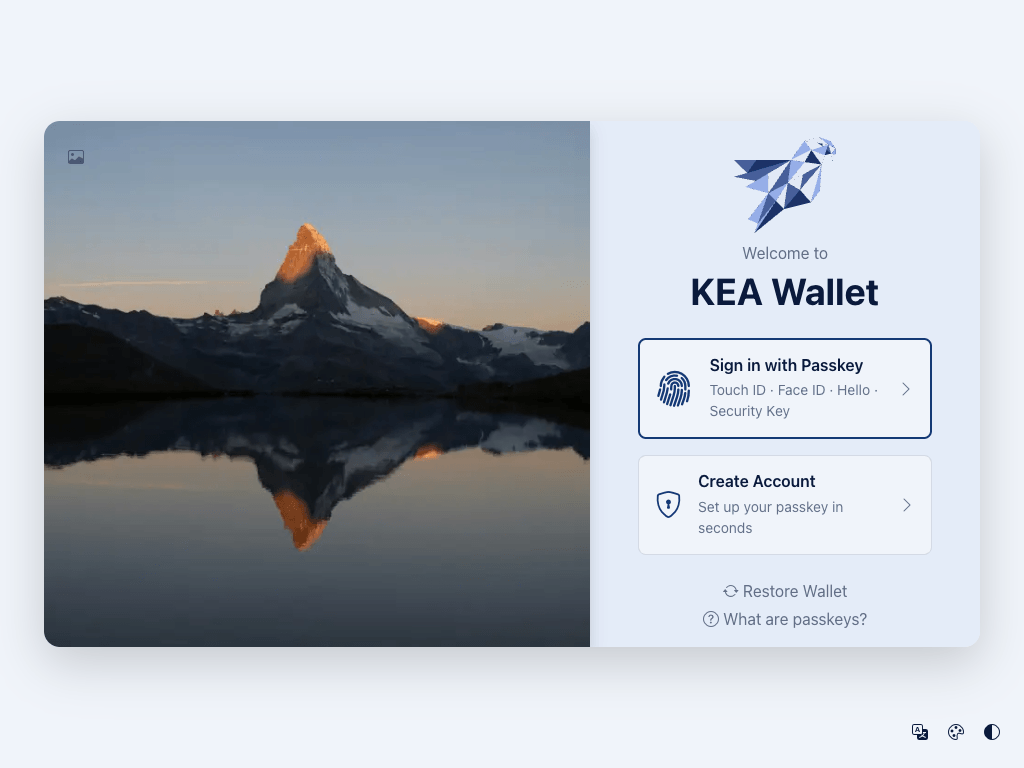
- Go to keawallet.com and click Try It Out.
- Click Create Account.
- Follow your device's passkey prompt — this uses Face ID, Touch ID, Windows Hello, or a security key.
- Save your recovery phrase — the wallet generates a 12-word recovery phrase for your Fee Payer account. Write these words down and store them in a safe place.
- You're in — the wallet opens to your dashboard.
What is a passkey?
A passkey is a digital credential stored on your device. Instead of typing a password, you unlock it with your fingerprint, face, or a PIN. Passkeys are built on the WebAuthn standard and supported by all major browsers and operating systems.
warning
Your recovery phrase is the only way to restore your Fee Payer account if you lose access to all synced devices. Store it offline in a safe place — never screenshot it or share it with anyone.
Your Wallet Dashboard
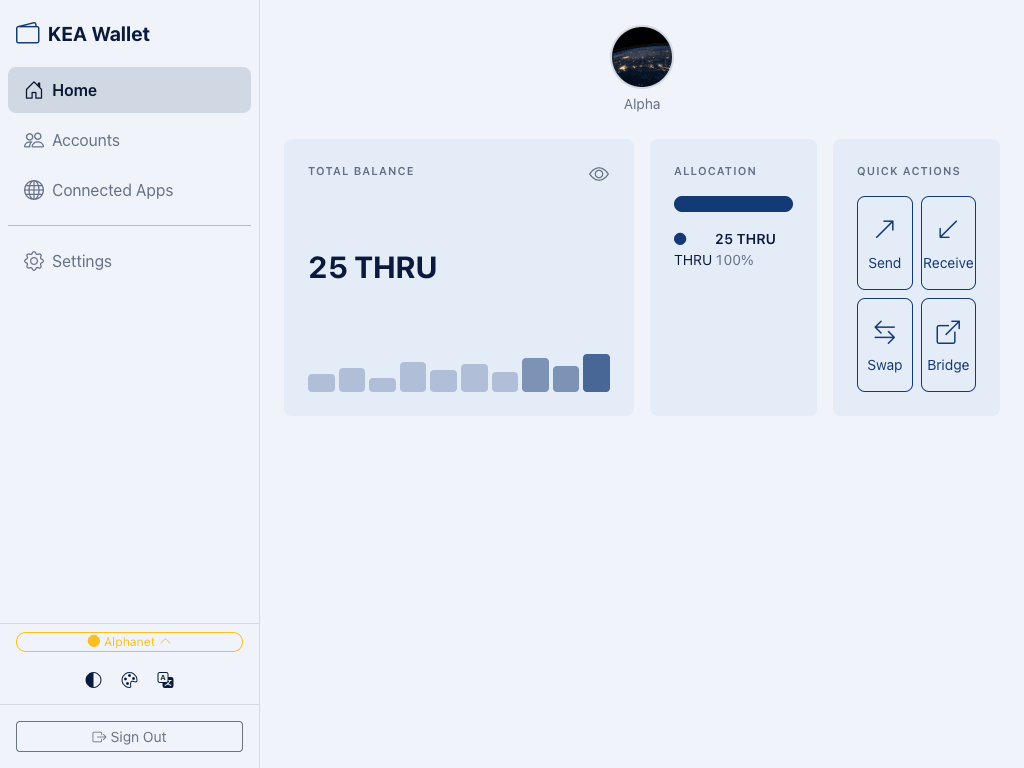
After logging in, you'll see the main dashboard:
- Total Balance — your combined THRU balance across all accounts.
- Allocation — a breakdown of your assets (currently THRU).
- Quick Actions — buttons for Send, Receive, Swap, and Bridge.
- Account — your default "Daily" account with its Thru address.
The sidebar gives you access to:
- Home — the dashboard view
- Accounts — manage all your accounts
- Connected Apps — see which dApps have access to your wallet
- Settings — theme, language, auto-lock timeout, and more
Get Your First THRU Tokens
- Receive from someone — share your wallet address and ask them to send THRU. See Sending & Receiving for how to find your address.
- Alphanet faucet — on the test network, request free test tokens from the Thru faucet.
note
KEA Wallet is currently on Alphanet (test network). Tokens on Alphanet have no real monetary value.
What's Next
- Sending & Receiving — Learn how to transfer THRU tokens
- Managing Accounts — Create additional accounts for different purposes
- Security — Understand how passkeys and recovery phrases protect your wallet